How to: Create a Scaled Scan
Use saved templates to run consistent scans without rebuilding the GeoGrid settings every time.
What makes it scaled
The scan setup stays fixed while the workflow grows: more keywords, repeated executions, or recurring schedules can reuse the same template settings.
Start from the template overview
Open Scan Templates and choose the business. The overview shows the saved templates, their grid size, radius, latest scan, and available actions.
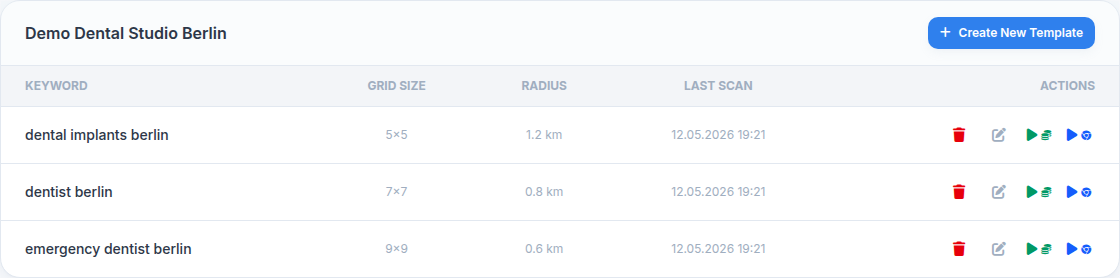
Open the template before launching
Open the template to confirm the keyword, grid size, radius, and previous scan history. This avoids accidental scans with the wrong area or distance.
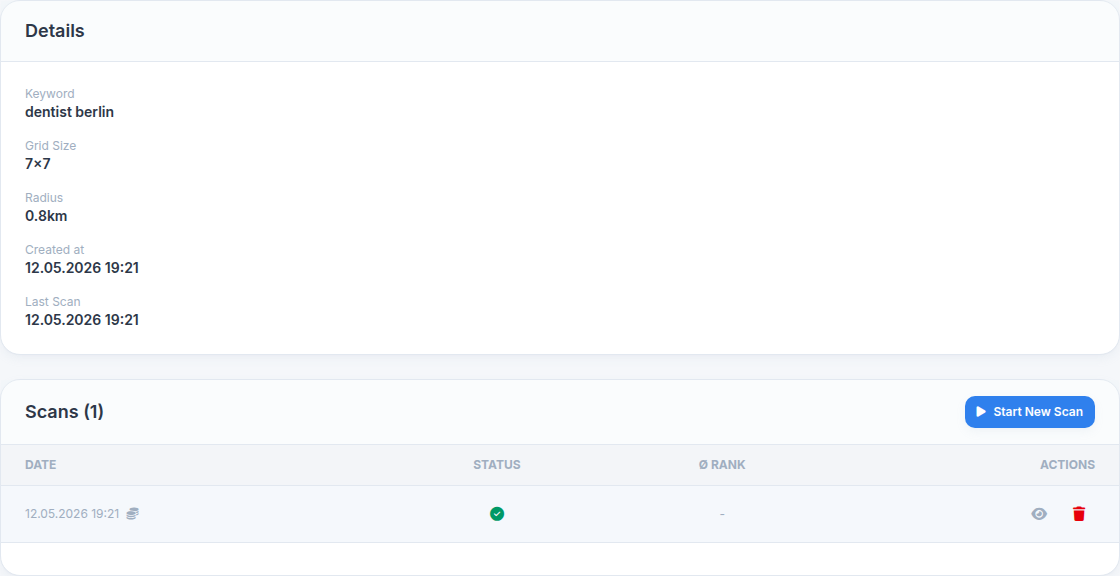
Check scale and credit impact
Scaled workflows multiply the grid by the number of keywords or repeated schedules. Before launching, confirm that the point count and credit budget match the intended scope.
- One keyword, one template: Best for routine monitoring.
- Multiple related keywords: Useful for service comparisons.
- Recurring schedules: Best for monthly or weekly reporting.
Use templates for recurring scans
When you create a recurring scan, select the template first. The schedule then reuses the same grid and keyword setup automatically.
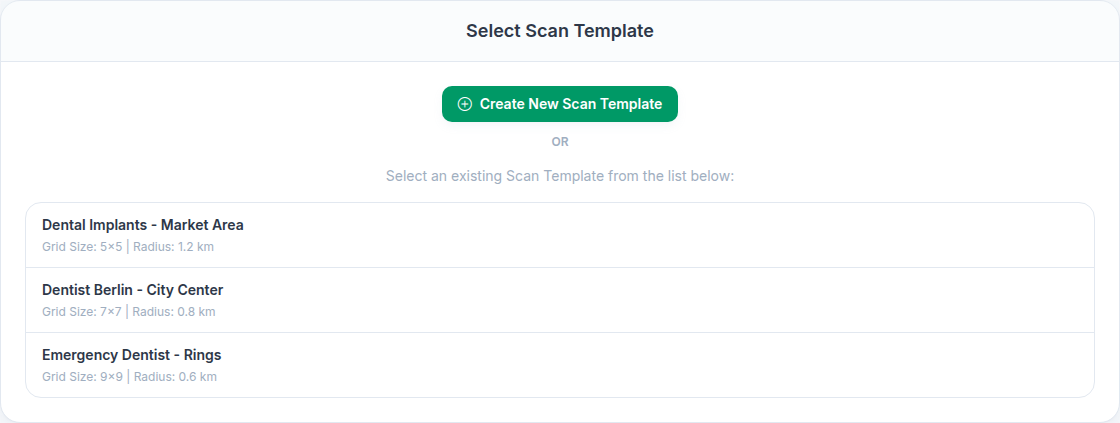
Typical scaled-scan scenarios
Agency service tracking
Track the same local business across multiple service keywords without rebuilding the grid each time.
Multilingual markets
Use one location setup while comparing keyword variants in different languages.
Multi-location operations
Keep one template per location so reporting stays consistent across branches or franchise sites.